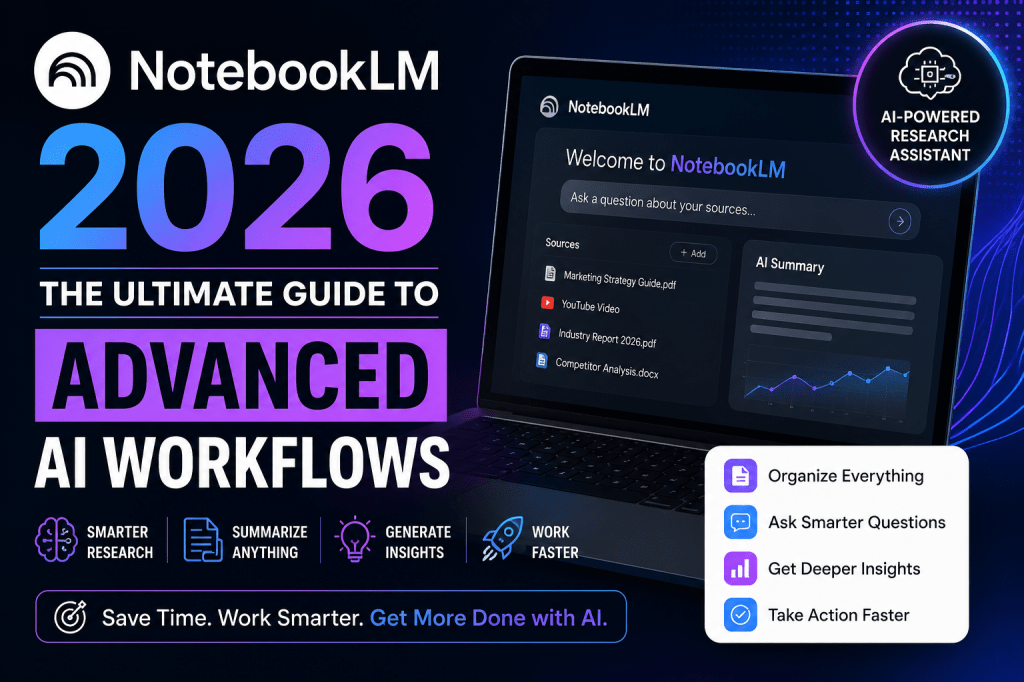
The struggle is a universal tax on productivity: you are staring at a folder of dense, mismatched material—a 50-page PDF brochure, a complex financial spreadsheet, and a 20-minute video transcript. Traditionally, synthesizing this meant hours of manual cross-referencing and “alt-tabbing” between tabs.
The “new” NotebookLM has fundamentally shattered this dynamic. It has evolved from a simple research assistant into a full-scale “production tool” that is currently outpacing even Google Gemini in usage. As a productivity strategist, I view the 2026 updates as a shift in the AI hierarchy. We are moving away from general-purpose chatting toward a “grounded” workflow where the AI is strictly bound to your data.
To help you navigate this transition, here are the five strategic takeaways that define the new era of NotebookLM.
1. From Question-and-Answer to a Tiered Production Studio
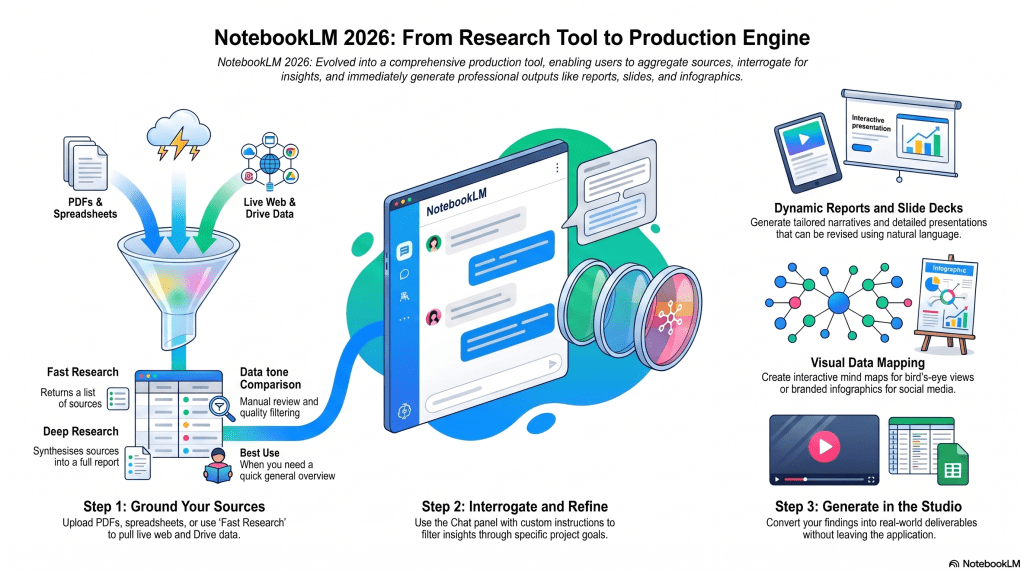
The most significant architectural shift in NotebookLM is the move from the middle “Chat” panel to the right-hand “Studio” panel. While the chat remains the engine for discovery, the studio is where you generate professional deliverables. To implement this effectively, you must understand the new “tiering” of tools:
- Tier 1 (Must-Use): Reports, Slide Decks, Infographics, and Mind Maps. These are your primary output engines.
- Tier 2 (Situational): Data Tables (exportable to Sheets), Video Overviews (narrated slideshows), and Quizzes.
The real “pro-tip” for 2026 is the use of Suggested Formats. Rather than making you guess the next step, NotebookLM analyzes your sources to propose specific directions, such as a “competitive positioning analysis.” It then autogenerates a tailored prompt based on your data—effectively “skipping that middle step” of copying and pasting AI responses into separate documents to build a final product. Before you even start, check the Source Guide at the top of your sources; it often surfaces follow-up questions you hadn’t considered, such as “Why aren’t we replicating this strategy in Indonesia and Pakistan?”—insights that would otherwise remain buried in the noise.

2. The “Living Document” Advantage (Sync vs. Static)
From an implementation standpoint, the most critical workflow optimization is how you ingest data. While most users upload static PDFs, a strategist knows that the real power lies in Google Workspace integration (Docs, Slides, and Sheets).
When you link a Google Doc as a source, it becomes a living document. By using the Sync function, you can fetch the latest changes from the original file without a manual re-upload. In collaborative environments where a team is constantly updating a strategy deck or a financial sheet, this ensures your queries and studio outputs are always grounded in the most current data. PDFs, by contrast, are static snapshots; if the data changes, your notebook is immediately obsolete.

3. Visual Intelligence and the Narrative “Revise” Workflow
The 2026 update introduces visual tools that do more than just summarize text; they help you visualize structure.
- Interactive Mind Maps: Use these for a “bird’s-eye view” of your research. You can click on specific nodes (like “Practical Techniques”) to trigger a grounded chat about that subtopic immediately.
- Infographics: These generate polished 1:1 square visuals for social media. Strategic Note: For professional-grade results, always select the “Concise” level of detail. The “Detailed” setting is currently prone to AI-generated text typos.
- Slide Decks: The tool can generate “Presenter Slides” or a “Detailed Deck.”
The “catch” with slides is that they are currently generated as images rather than editable text. However, a strategist uses this for narrative brainstorming. Use the tool to propose a presentation structure to “cut down the amount of time we spend on brainstorming.” If the visual isn’t right, use the Revise button. You can give natural language instructions—such as “use Google brand colors” or “simplify this visual”—and the AI will regenerate the deck while keeping your narrative intact.

4. Precision Grounding and the Creativity Bridge
For high-stakes tasks, the “Configure Chat” window is your most vital asset. However, there is a strategic paradox here: NotebookLM is “low creativity” by design to ensure high accuracy. To overcome this, use a separate LLM (like Gemini or Claude) to act as your “creative director.”
The advanced workflow for precision grounding is
- Ask a creative LLM to generate a sophisticated “prompt template” based on your project goals.
- Paste that template into NotebookLM’s Custom Instructions.
This allows you to bypass the tool’s inherent lack of creative spark while maintaining its precision. This setup is particularly powerful for multilingual projects. For example, you can upload Japanese market data and, through your custom instructions, force NotebookLM to provide English summaries that maintain technical nuance. As the rule of thumb goes, “NotebookLM is still the perfect tool when the stakes are too high for hallucinations.”

5. The Paradox of Accuracy—Knowing When to Leave
The most important strategic lesson is knowing when NotebookLM is not the right tool. Its greatest strength—high accuracy—is also its biggest limitation—low creativity. Because it is strictly “grounded” in your sources, it cannot invent the “next big idea” or write evocative marketing copy from scratch.
Furthermore, you must distinguish between fast research and deep research:
- Fast Research: Think of this as “Google Search” without leaving NotebookLM. It is an incredible internal search tool. Pro tip: Select a maximum of three sources when using this to act as a built-in quality filter.
- Deep Research: While NotebookLM offers a “deep research” feature that synthesizes reports, I recommend avoiding it if you have domain expertise. For true synthesis and complex reasoning, switch back to Gemini or Claude.
Use NotebookLM to find the facts within your documents, but return to general LLMs when you need to brainstorm, code, or create something entirely new.

Conclusion: The Future of Grounded AI
NotebookLM has transitioned into a comprehensive production tool with a clear, three-pillar workflow: Load your sources on the left, uncover insights in the middle chat, and create professional deliverables in the studio on the right.
By mastering the “Sync” of living documents and the “Revise” workflow of the Visual Studio, you move beyond mere information retrieval. The question is no longer just “What is in these files?” But, “How quickly can I turn this grounded data into a high-stakes proposal?”






Leave a comment